News
How to Choose the Right Laser Cutter for Sale: A Buyer’s Complete Guide
I still remember the first time a small business owner walked into my workshop, frustrated and overwhelmed. He’d spent weeks scrolling through “laser cutter for sale” listings online, bought a cheap model that looked good in photos, and now it was sitting idle—unable to cut through the 3mm stainless steel sheets his jewelry designs required. “I just wanted something affordable,” he said, “but I didn’t know what questions to ask.” That conversation stuck with me because it’s not an uncommon problem. When you search for “laser cutter for sale,” you’re met with a flood of options: big industrial machines, compact desktop models, brands you’ve never heard of, and prices that range from a few hundred dollars to tens of thousands. It’s easy to get swayed by a low price tag or flashy marketing, but the truth is, the right laser cutter for you depends on your specific needs—and if you don’t know what to look for, you could end up wasting time and money.
In this guide, I’m going to break down everything you need to know when shopping for a laser cutter for sale. I’ve spent over a decade working with small businesses, hobbyists, and industrial teams to source and set up laser cutting equipment, so I’ll share the lessons I’ve learned the hard way. We’ll cover how to match a laser cutter to your project (whether you’re making custom signs, prototyping parts, or mass-producing products), what technical specs actually matter (and which ones are just hype), how to avoid scams on “laser cutter for sale” platforms, and even tips for negotiating a better deal. By the end, you won’t just be able to find a laser cutter for sale—you’ll be able to find the right one that fits your budget and helps you grow.
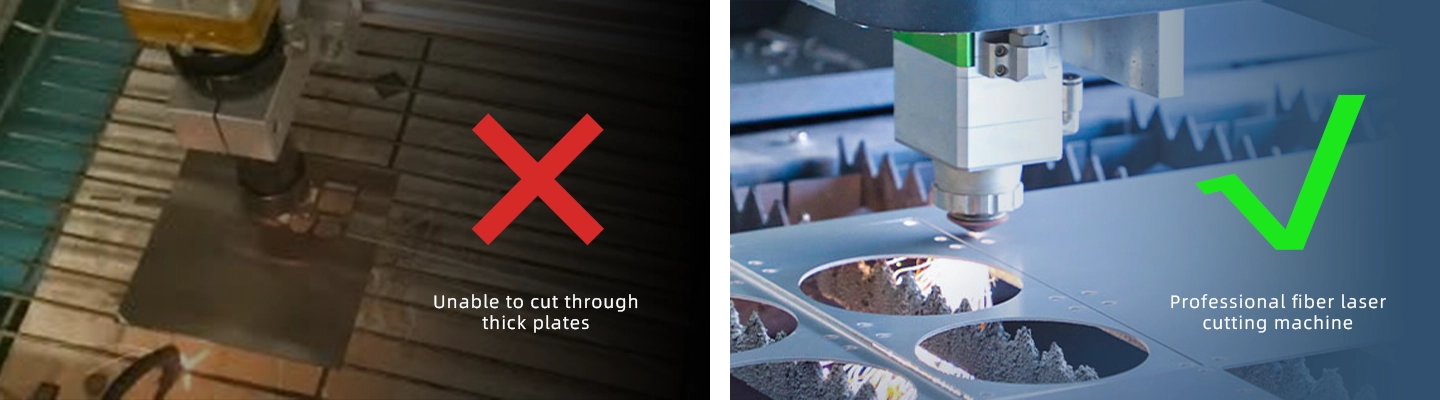
First: Start with Your “Why” – What Will You Use the Laser Cutter For?
Before you even type “laser cutter for sale” into a search bar, you need to answer one critical question: What are you going to cut? The difference between a laser cutter that works for acrylic keychains and one that handles 10mm steel is night and day—and buying the wrong one is one of the biggest mistakes I see buyers make. Let’s break down common use cases and what they mean for your purchase:

If you’re a hobbyist or small crafter (think: making custom t-shirt designs, wooden coasters, or acrylic jewelry), you’ll likely need a desktop laser cutter. These are smaller (usually around 2×3 feet of workspace), run on 110V power (so you can plug them into a regular outlet), and typically use CO2 laser technology (which is great for non-metallic materials like wood, acrylic, leather, and paper). When you search for “laser cutter for sale” in this category, look for models with a laser power between 40W and 80W. A 40W model can handle thin materials (like paper or thin leather), while an 80W will tackle thicker acrylic (up to 10mm) or hardwood. Brands like Glowforge or Ortur are popular here, but don’t sleep on lesser-known names like xTool—they often offer similar quality at a lower price. Just make sure the model comes with easy-to-use software (like LightBurn) if you’re new to laser cutting; nothing kills motivation faster than fighting with complicated setup.
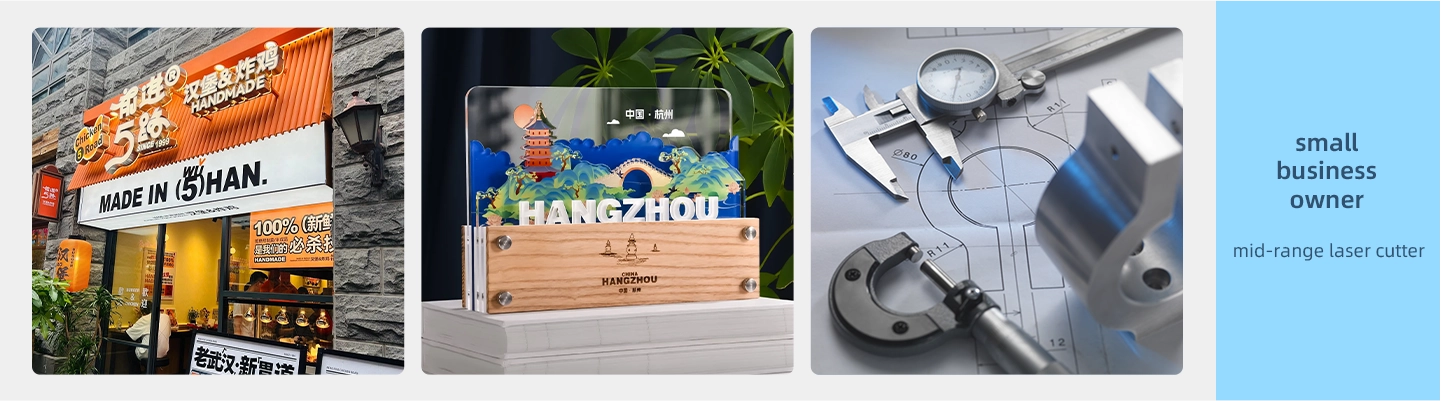
If you’re a small business owner (e.g., a sign shop, custom gift maker, or prototyping studio), you’ll need a step up from a desktop model. Look for a “mid-range” laser cutter for sale—these usually have a larger workspace (3×4 feet or more), higher laser power (80W to 150W CO2), and better build quality (think: steel frames instead of plastic, which reduces vibration and improves precision). For example, a 100W CO2 laser cutter can cut through 12mm acrylic or 6mm plywood in a single pass, which saves time if you’re fulfilling orders. You might also want to prioritize features like an automatic material feeder (if you’re cutting large sheets) or a honeycomb bed (which prevents scorching on delicate materials like leather). I once helped a sign shop owner swap their 60W desktop model for a 120W mid-range cutter, and their production time dropped by 40%—that’s the difference between keeping up with orders and falling behind.
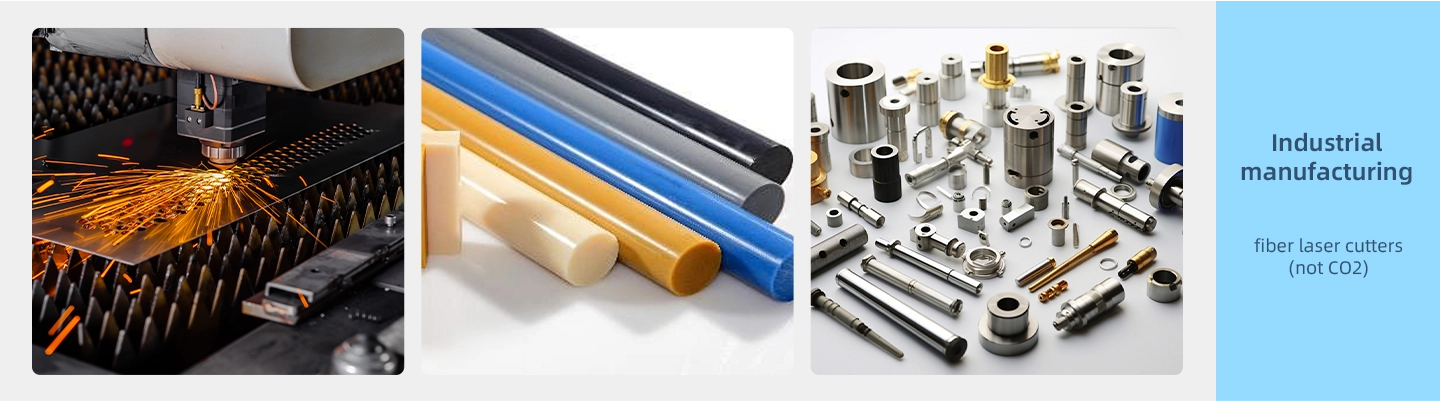
If you’re in industrial manufacturing (cutting metal, thick plastic, or high-volume parts), you’ll need a heavy-duty laser cutter. These are often fiber laser cutters (not CO2), which use a different technology to cut through metals like steel, aluminum, and brass. When searching for “laser cutter for sale” in this category, you’ll see power ratings in kW (not W)—a 1kW fiber laser can cut through 6mm steel, while a 4kW model handles 20mm steel. These machines are big (they need dedicated floor space), require 3-phase power, and come with a higher price tag (starting at 20,000), but they’re built for durability. I worked with an automotive parts manufacturer last year that invested in a 3kW fiber laser cutter, and they were able to eliminate outsourcing—saving over 50,000 in the first year alone. The key here is to work with a supplier that offers on-site installation and training; these machines aren’t plug-and-play, and you’ll need to train your team to use them safely.
Next: Decode the Technical Specs – What Matters When Shopping for a Laser Cutter for Sale?
Once you know your use case, you’ll start sifting through “laser cutter for sale” listings—and they’ll be full of jargon: “CO2 vs. fiber,” “bed size,” “laser power,” “cutting speed.” It’s easy to get overwhelmed, but let’s break down the specs that actually impact performance.
First: Laser Type (CO2 vs. Fiber). This is non-negotiable—it determines what materials you can cut. CO2 lasers are for non-metals: wood, acrylic, leather, paper, fabric, and some plastics (like PVC, but be careful—PVC releases toxic fumes when cut). Fiber lasers are for metals: steel, aluminum, brass, copper, and even some coated metals. There’s no “better” option—just the right one for your materials. I once had a client who bought a CO2 laser cutter for sale because it was cheaper, only to realize they needed to cut aluminum for their product. They ended up selling it at a loss and buying a fiber model—don’t make that mistake.
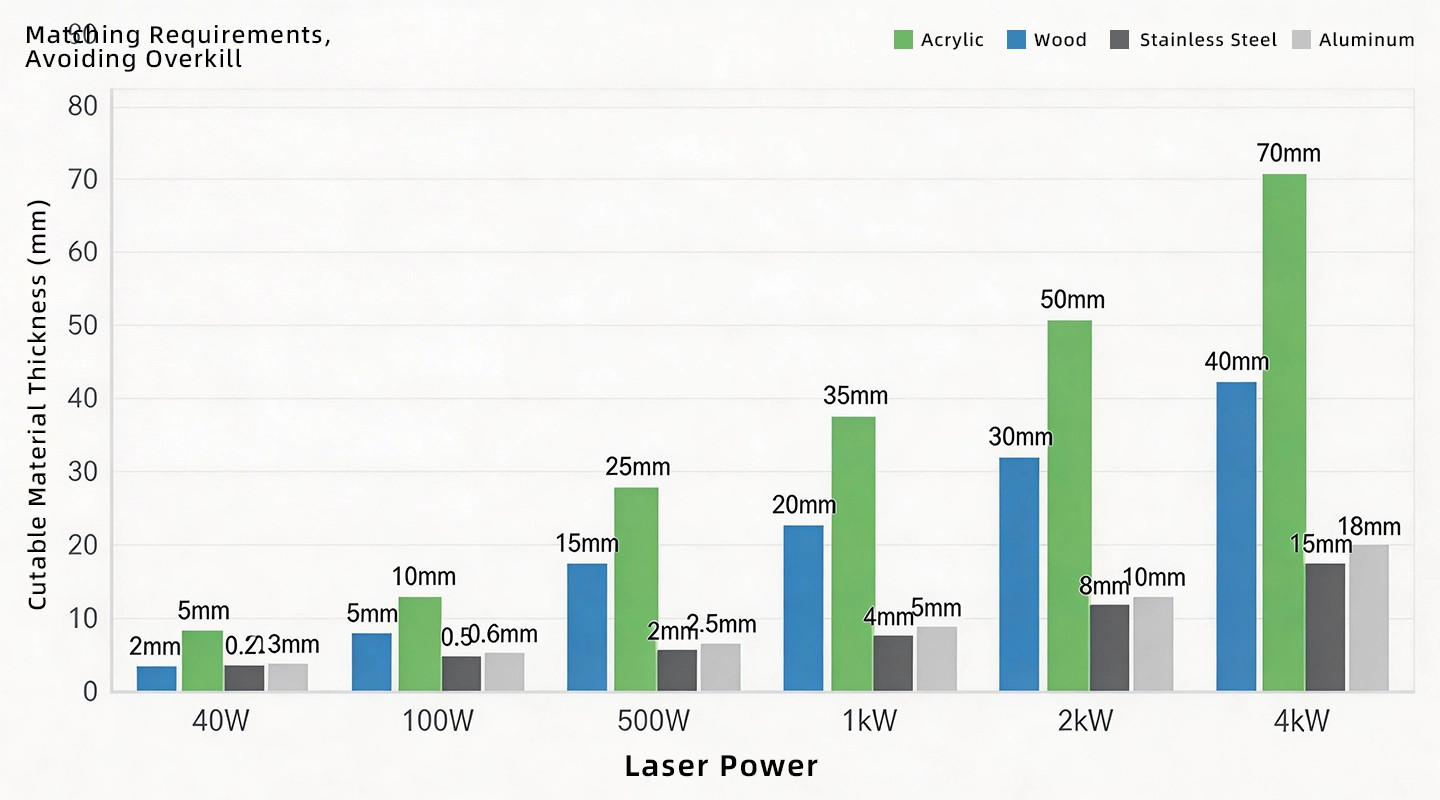
Second: Laser Power. For CO2 lasers, power is measured in watts (W). As a general rule: •40W–60W: Good for thin materials (paper, thin leather, 3mm acrylic, 6mm wood) •80W–120W: Ideal for mid-thickness materials (10mm acrylic, 12mm wood, 3mm foam) •150W+: For thick materials (15mm+ acrylic, 20mm+ wood, or multiple passes on dense materials)
For fiber lasers, power is in kilowatts (kW): •1kW: Cuts up to 6mm steel, 8mm aluminum •2kW: Cuts up to 12mm steel, 15mm aluminum •4kW+: Cuts up to 20mm+ steel (used for heavy industrial work)
Don’t fall for the “bigger is better” trap here. A 150W CO2 laser cutter will be more expensive and use more electricity than a 80W model—and if you only cut thin acrylic, you’ll never need that extra power. I had a hobbyist client who bought a 120W CO2 laser cutter for sale because he thought it would be “future-proof,” but he only uses it for 3mm wooden coasters. He’s now stuck with a machine that’s too big for his garage and costs more to run than he needs.
Third: Bed Size (Work Area). This is the maximum size of material you can cut. Measure the largest piece of material you’ll work with, then add a few inches (for alignment). For example, if you make 24×36-inch signs, you need a bed size of at least 24×36 inches (or larger, to avoid having to cut in multiple passes). Desktop models usually have beds around 12×20 inches (good for small projects), mid-range models 30×40 inches (for signs or medium parts), and industrial models 5×10 feet (for large sheets). I once helped a furniture maker find a laser cutter for sale with a 4×8-foot bed—they now cut entire wooden table tops in one pass, which saved them hours of assembly time.
Fourth: Cutting Speed and Precision. Speed is measured in inches per minute (IPM), but it’s not as simple as “faster is better.” A higher speed might mean lower precision (the laser doesn’t have time to cut cleanly), so you need a balance. Look for listings that include speed and precision specs (e.g., “0.1mm positioning accuracy”). For crafters, 100–300 IPM is fine; for businesses that need tight tolerances (like prototyping), aim for 200–500 IPM with 0.05mm accuracy. I worked with a jewelry designer who needed to cut tiny, intricate patterns—she found a laser cutter for sale with 0.03mm accuracy, and it made all the difference in the quality of her work.
How to Avoid Scams and Low-Quality Models When Searching for “Laser Cutter for Sale”
Let’s be real: The internet is full of “laser cutter for sale” listings that look too good to be true. I’ve seen buyers get scammed by suppliers selling used machines as “new,” or models with fake power ratings (e.g., a 40W laser labeled as 80W). Here’s how to protect yourself:
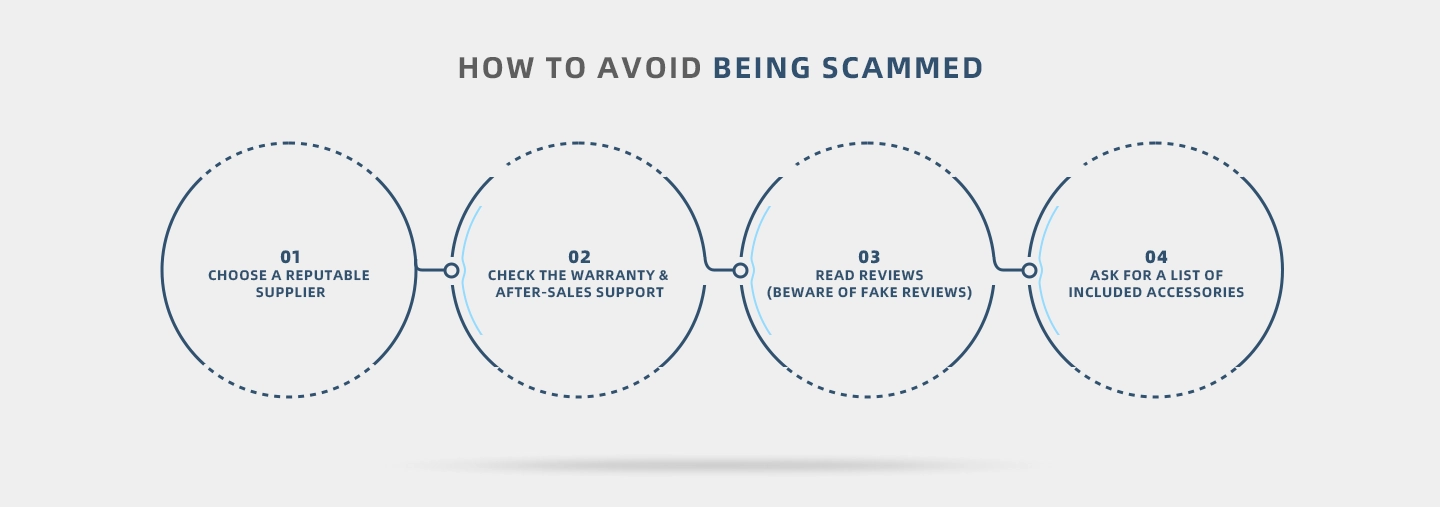
First: Buy from reputable suppliers. Avoid random eBay or Facebook Marketplace listings unless you can inspect the machine in person. Stick to established retailers (like Amazon Business, McMaster-Carr) or brand-authorized dealers. Most reputable suppliers will let you test the machine before buying (or offer a demo video if you’re shopping online). I once had a client who almost bought a “brand new” laser cutter for sale on a discount site—luckily, he asked for a demo video, and the supplier couldn’t show it cutting through the material they claimed. He walked away and found a legitimate model.
Second: Check for warranties and after-sales support. A good laser cutter should come with at least a 1-year warranty on parts (like the laser tube, power supply, and controller). Avoid suppliers that offer no warranty—if the machine breaks a month after you buy it, you’ll be stuck. Also, ask about after-sales support: Do they have a phone number or email for technical help? Will they send replacement parts quickly? I had a small business client whose laser tube burned out 6 months after purchase—their supplier sent a new tube for free and walked them through the replacement over the phone. That’s the kind of support you need.
Third: Read reviews (but be wary of fake ones). Look for reviews from verified buyers—sites like Google Reviews, Trustpilot, or industry forums (like Laser Talk) are better than Amazon reviews (which can be manipulated). Pay attention to common complaints: Do multiple reviewers say the machine overheats? Is the software hard to use? I once researched a laser cutter for sale that had 5-star reviews on its website, but when I checked a forum, I found dozens of users complaining about the laser tube failing within 3 months. That’s a red flag.
Fourth: Ask for a list of included accessories. Some “laser cutter for sale” listings will advertise a low price, but then charge extra for essential accessories: a honeycomb bed, air assist kit (which prevents scorching), safety glasses, or software. Make sure you know exactly what’s included—otherwise, you’ll end up spending more than you budgeted. For example, an air assist kit can cost 100–300 extra, and it’s a must-have if you’re cutting acrylic or wood.
Budgeting for a Laser Cutter for Sale: It’s Not Just the Upfront Cost
When you search for “laser cutter for sale,” the first thing you’ll notice is the price—but the upfront cost is just part of the equation. You need to factor in ongoing expenses to avoid sticker shock later. Let’s break down the costs:
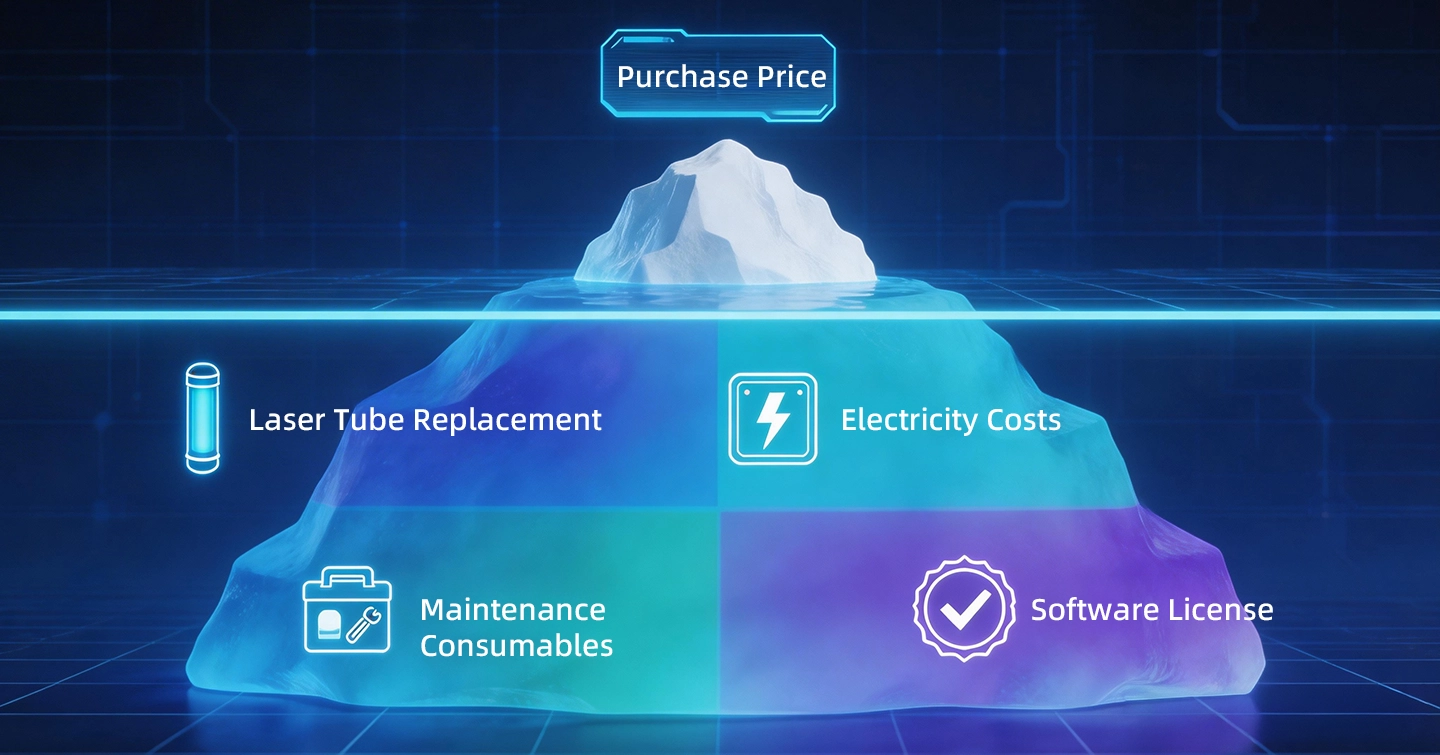
Upfront Cost:
•Desktop CO2 laser cutters: 1,000–5,000 (good for hobbyists)
•Mid-range CO2 laser cutters: 5,000–15,000 (for small businesses)
•Fiber laser cutters (small to mid-size): 10,000–50,000 (for metal cutting)
•Industrial fiber laser cutters: 50,000–200,000+ (for heavy manufacturing)
Ongoing Costs:
1.Laser Tube Replacement: CO2 laser tubes last 1,000–2,000 hours (about 1–2 years for regular use) and cost 200–800. Fiber laser modules last longer (5,000–10,000 hours) but are more expensive to replace (1,000–5,000).
2.Electricity: A 80W CO2 laser cutter uses about 0.5 kWh per hour (costs ~0.07 per hour in the US), while a 2kW fiber laser uses 2–3 kWh per hour (~0.28–$0.42 per hour).
3.Maintenance: You’ll need to replace air filters (20–50 each), lubricate moving parts (10–30 per year), and clean the lens (5–10 for cleaning kits).
4.Materials: Don’t forget the cost of the materials you’ll cut—acrylic sheets, wood, metal, etc.—but that’s part of your project budget, not the machine budget.
I had a client who bought a 2,000 desktop laser cutter for sale, thinking that was all he’d spend. Six months later, the laser tube burned out, and he had to pay 300 for a replacement. He also didn’t factor in electricity costs, which added up to $50 per month. It’s not a huge expense, but it’s important to plan for it.
If you’re on a tight budget, consider used laser cutters for sale. You can find gently used models for 30–50% off the new price—just make sure you inspect the machine in person (or ask for a detailed video of it working). Check the laser tube’s hours (most machines have a counter) and ask why the seller is getting rid of it. I helped a startup buy a used 100W CO2 laser cutter for 6,000 (it was 12,000 new), and it’s still running perfectly two years later.
Negotiating the Best Deal on a Laser Cutter for Sale
Most people don’t realize that “laser cutter for sale” prices are often negotiable—especially if you’re buying from a local supplier or a dealer (not a big box store). Here are my top tips for getting a better deal:
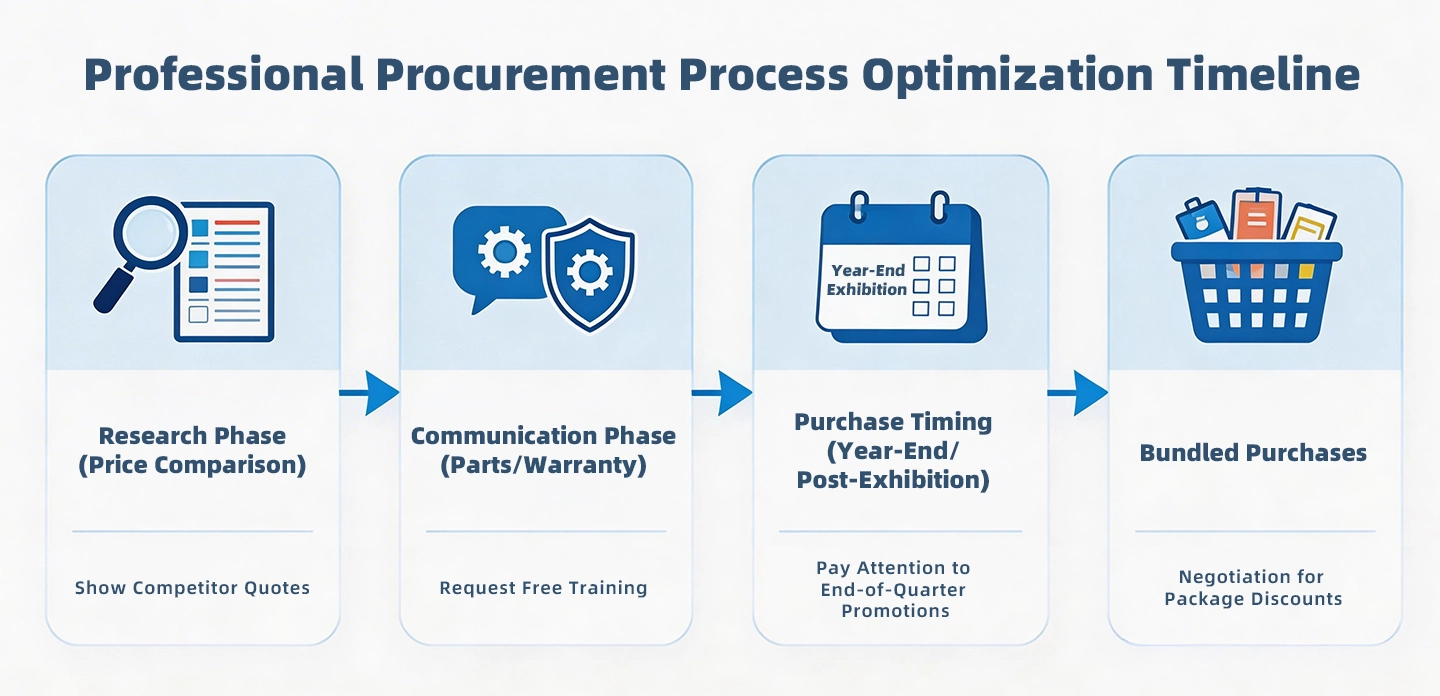
1.Do your research first. Know the average price of the model you want (check multiple listings) so you can make a reasonable offer. If a supplier is selling a 80W CO2 laser cutter for 4,000, but you’ve seen the same model for 3,500 elsewhere, mention that. I once got a supplier to drop their price by $500 just by showing them a competitor’s listing.
2.Ask for free accessories or upgrades. If the supplier won’t lower the price, ask for free extras: a spare laser tube, an air assist kit, extended warranty, or free training. I had a client who bought a mid-range laser cutter for sale and negotiated a free honeycomb bed (worth $200) and a 2-year warranty (instead of 1 year).
3.Buy at the right time. Suppliers often run sales at the end of the year (to meet quotas) or during industry trade shows (like FabTech or Maker Faire). I once bought a laser cutter for a client in December and got 15% off—just because the supplier wanted to close the sale before the end of the quarter.
4.Consider bulk or package deals. If you need other equipment (like a engraving machine or a material storage rack), ask if the supplier will bundle them for a discount. I worked with a sign shop that bought a laser cutter, a vinyl cutter, and a heat press together—and got 10% off the total price.
Final Tips from a Pro: What I Wish Every Buyer Knew When Searching for “Laser Cutter for Sale”
After a decade in this industry, there are a few things I wish every buyer knew before they click “buy” on a laser cutter for sale:
•Safety first. Laser cutters produce intense heat and (in some cases) toxic fumes. Make sure your workspace is well-ventilated (install an exhaust fan or air purifier) and that you wear safety glasses (rated for the laser’s wavelength). I’ve seen too many people skip this—and end up with eye strain or respiratory issues.
•Test before you commit. If possible, bring a sample of the material you’ll be cutting to the supplier and ask them to demo the machine. You can see firsthand whether the cut is clean and sharp, the cutting speed, and whether the machine is functioning properly.

Top Stories
Product Categories
- Metal Laser Cutter
- Laser Welder Machine
- Laser Cleaner Machine
- Laser Marker Machine
- Press Brake Machine